Line (S2)
The Line component in the S2 package supports all the props from the base Line component plus several S2-exclusive features: gradients, interpolation, inline direct labels, and Spectrum 2 styled point display.
import { Chart, Axis, Line, Legend } from '@spectrum-charts/react-spectrum-charts-s2';
Line gradient
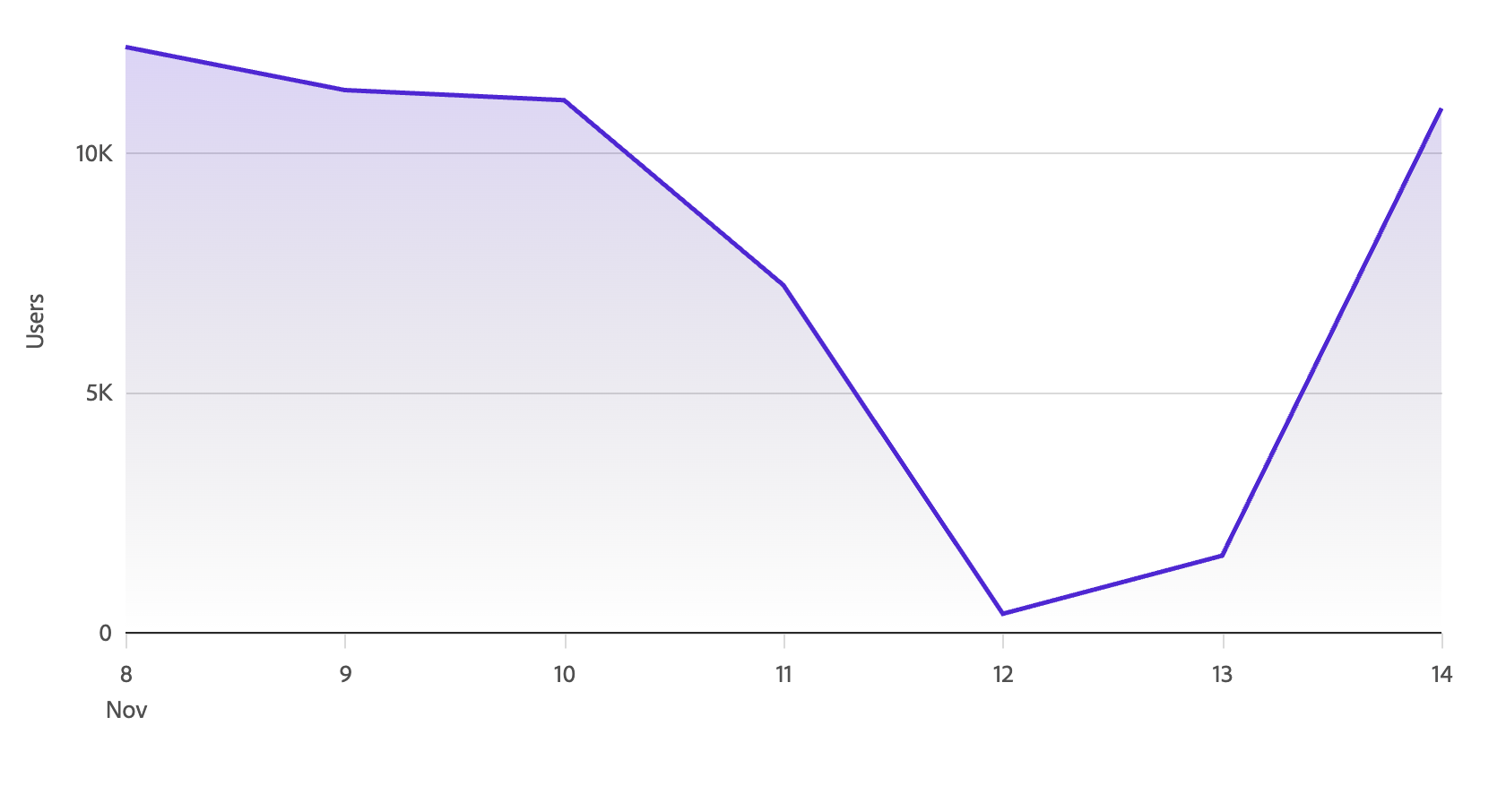
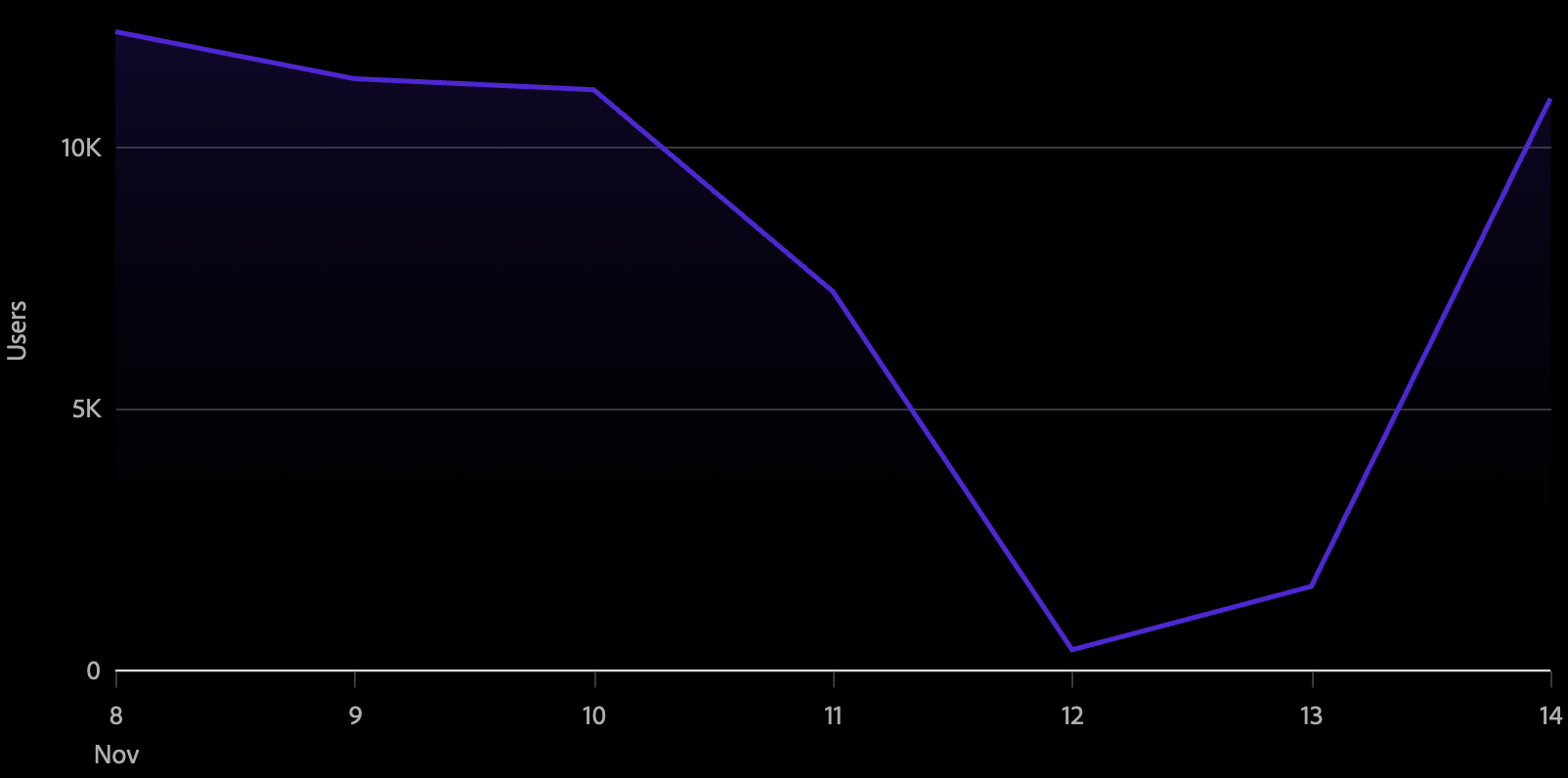
Setting gradient to true renders a filled area beneath the line that fades from the line color to transparent. This works well for emphasizing trends on single-series or lightly multi-series charts.
<Chart data={data}>
  <Axis position="bottom" labelFormat="time" ticks baseline />
  <Axis position="left" grid />
  <Line color="series" gradient />
</Chart>
Line interpolation
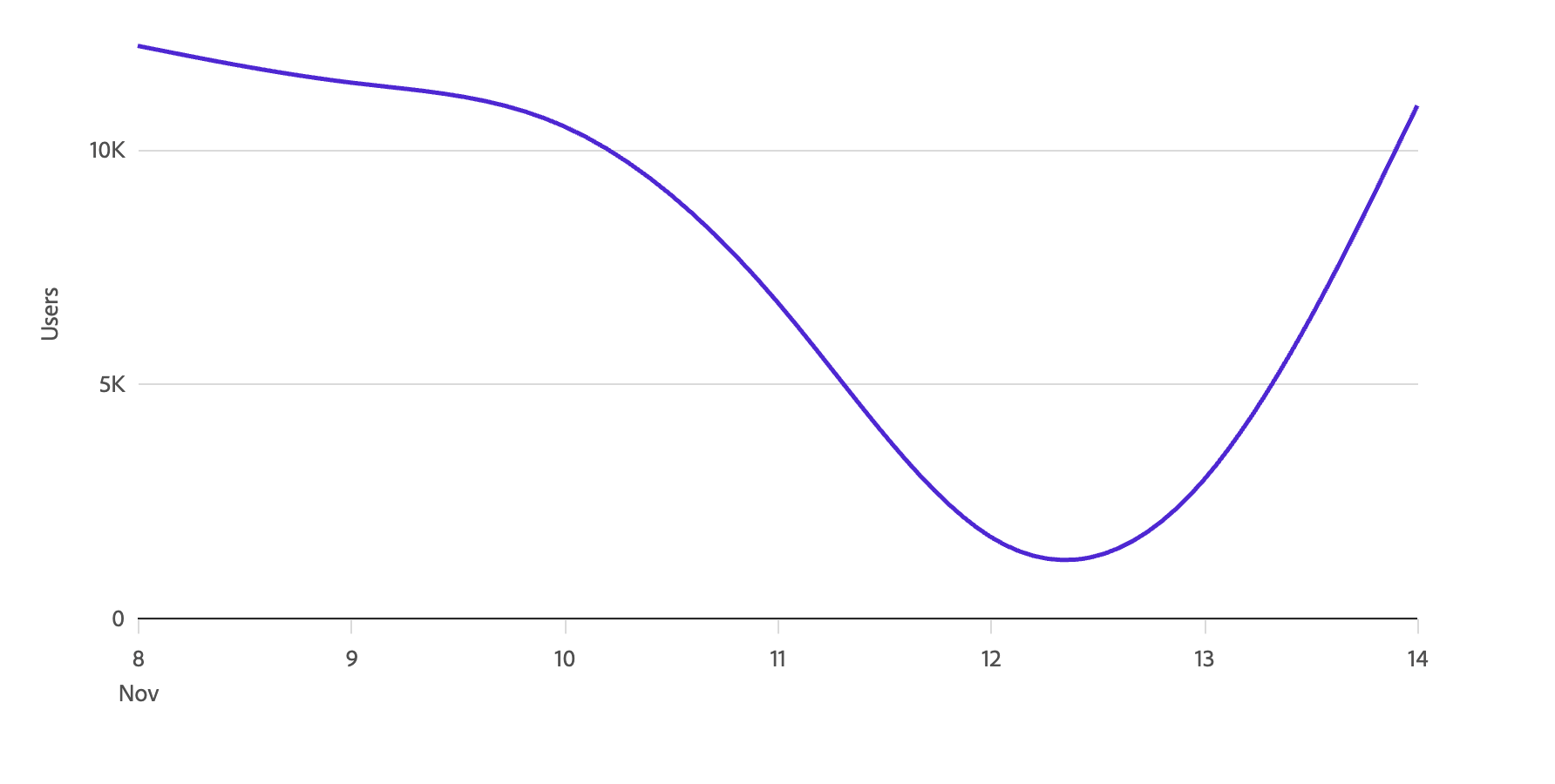
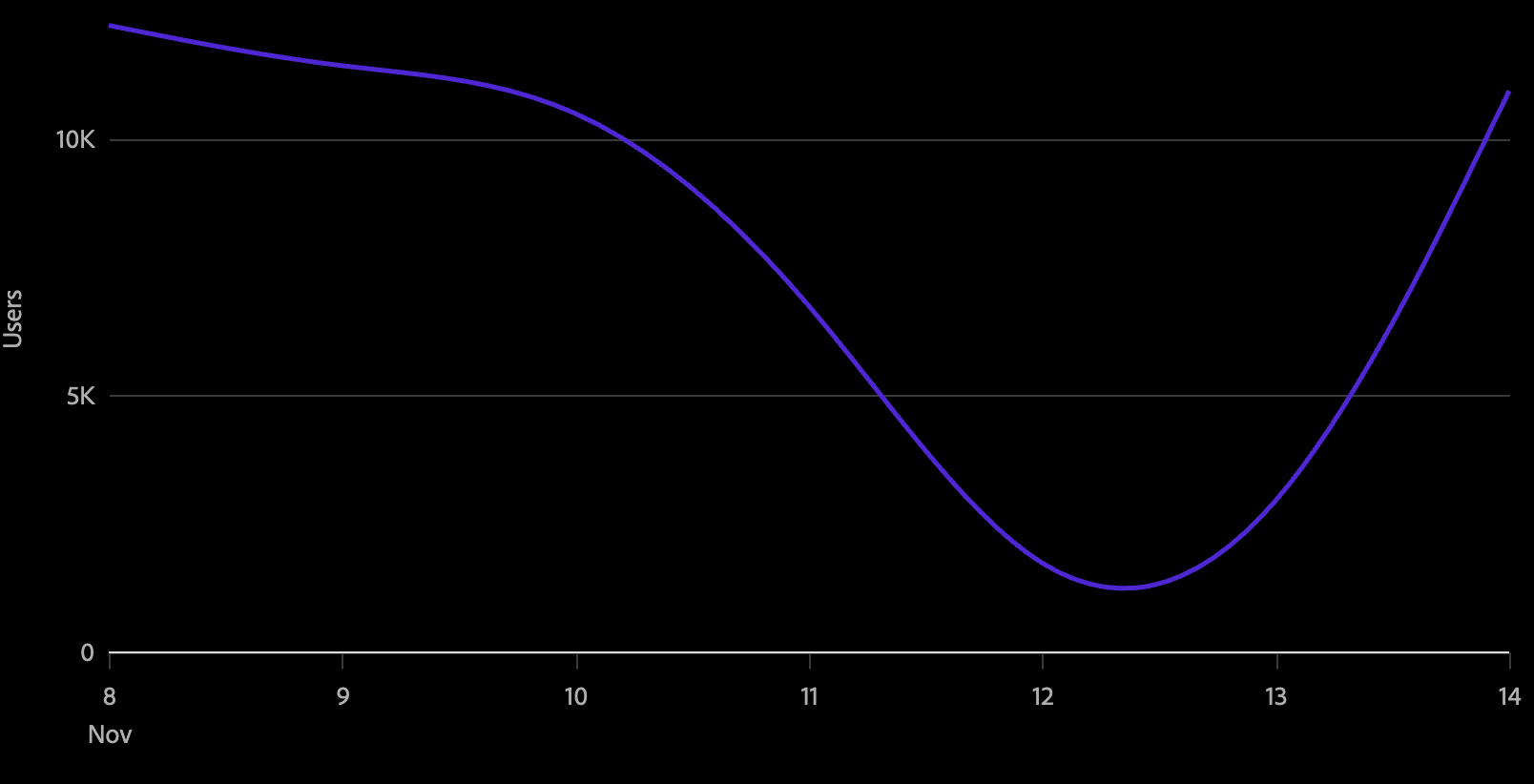
The interpolate prop controls the curve algorithm used to draw the line between data points.
<Chart data={data}>
  <Axis position="bottom" labelFormat="time" ticks baseline />
  <Axis position="left" grid />
  <Line color="series" interpolate="monotone" />
</Chart>
Available interpolation methods:
| Value | Description |
|---|---|
'linear' | Straight segments between points (default Vega behavior) |
'monotone' | Smooth curve that preserves monotonicity — recommended for most time-series data |
'basis' | B-spline curve |
'cardinal' | Cardinal spline |
'catmull-rom' | Catmull-Rom spline |
'natural' | Natural cubic spline |
'step' | Horizontal then vertical steps, centered on the data point |
'step-before' | Vertical then horizontal steps |
'step-after' | Horizontal then vertical steps |
Line point styles
In the S2 package, visible points on a line are styled automatically using Spectrum 2 design tokens — including color, stroke, and size — when they are displayed. Points are shown in two cases:
- On hover — a point appears at the hovered location on the line.
- Static points — use the
staticPointprop to mark specific data points as always visible. SetstaticPointto the key in your data whose value istruefor the data points you want to pin.
// data: [{ datetime: ..., value: 10, highlight: true }, ...]
<Line color="series" staticPoint="highlight" />
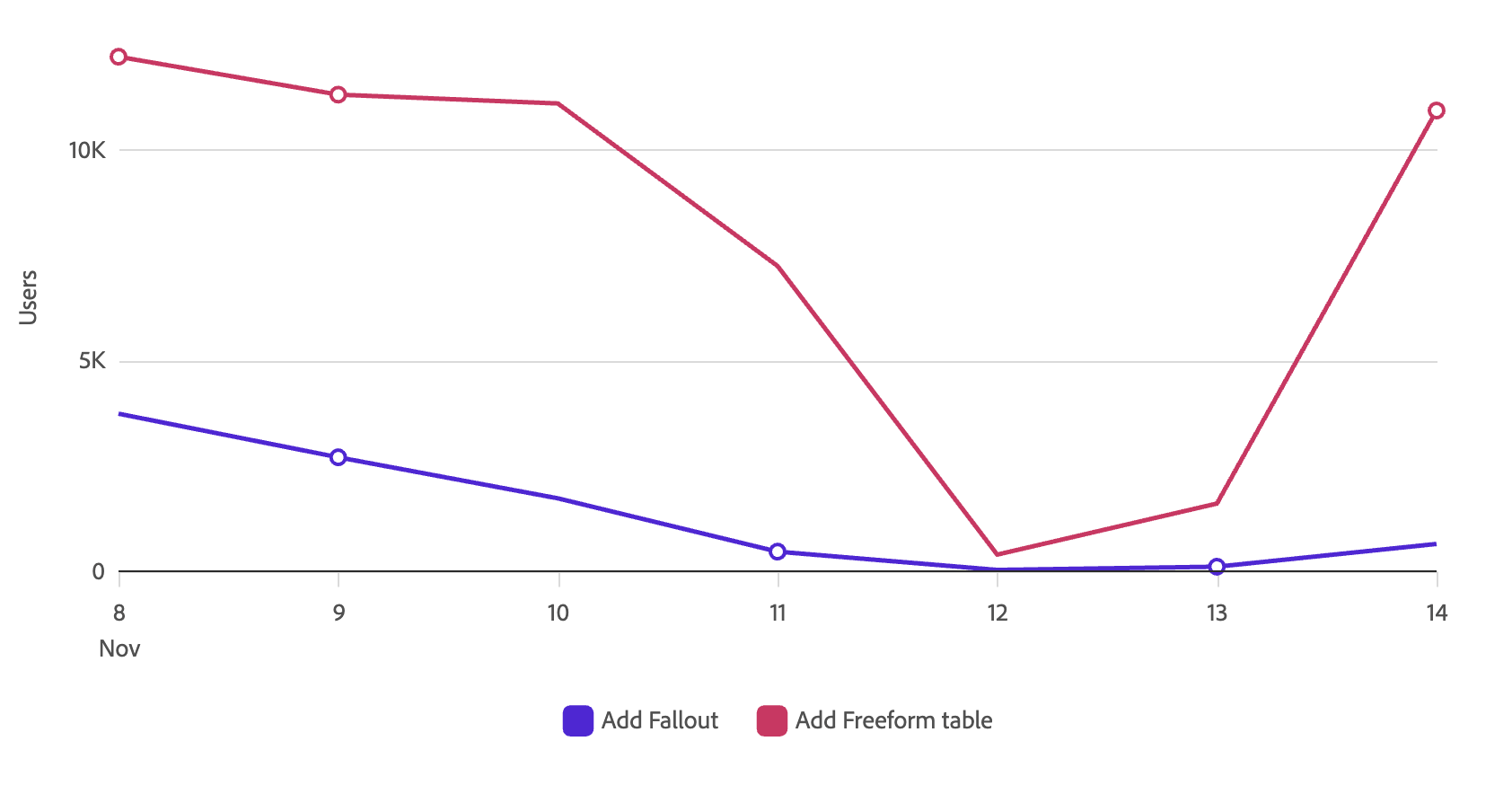
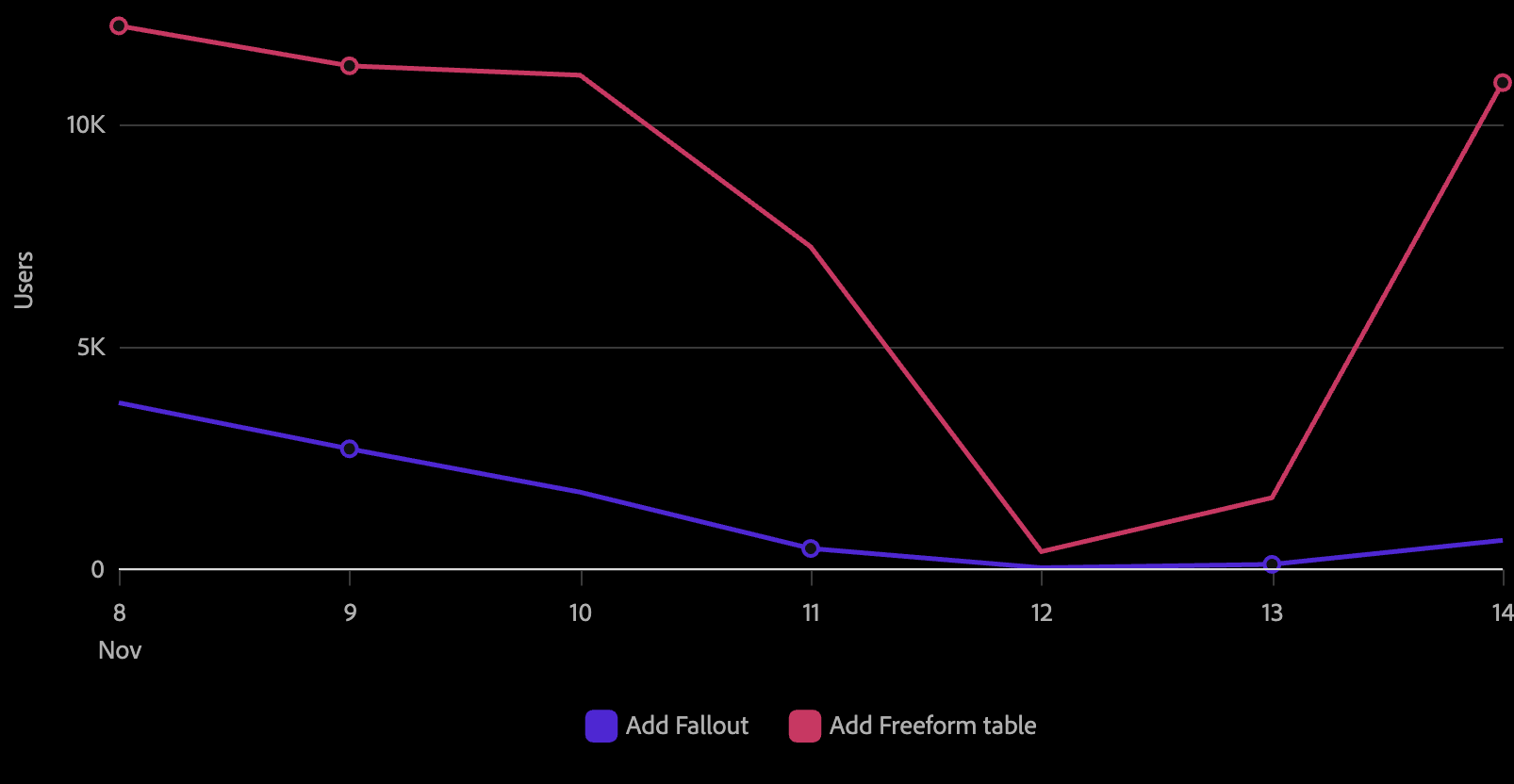
S2 selection and hover states (stroke ring, opacity fading of other series) are handled automatically by the S2 spec builder and follow the Spectrum 2 visual spec.
Point annotations (LinePointAnnotation)
The LinePointAnnotation component places a text label adjacent to each static point on the line. It requires staticPoint to be set on the parent Line — the annotation appears for every data point that has a visible static point.
// data: [{ datetime: ..., value: 10, highlight: true, label: '10K' }, ...]
<Chart data={data}>
  <Axis position="bottom" labelFormat="time" ticks baseline />
  <Axis position="left" grid />
  <Line color="series" staticPoint="highlight">
    <LinePointAnnotation textKey="label" />
  </Line>
</Chart>
Labels are rendered in the series color with a background halo for legibility. The placement algorithm tries each position in the anchor array in order and uses the first one that fits within the chart bounds without overlapping other labels or points.
Controlling label placement
By default, the algorithm tries right, top, bottom, then left. Pass a single string to fix the position, or an array to control the fallback order:
{/* Always place the label to the left of the point */}
<LinePointAnnotation textKey="label" anchor="left" />

{/* Try top first, then fall back to bottom */}
<LinePointAnnotation textKey="label" anchor={['top', 'bottom']} />
Displaying different data fields
The textKey prop sets which field in the data is used as the label text. It defaults to the metric field on the parent Line:
{/* Use a pre-formatted string from the data */}
<LinePointAnnotation textKey="formattedValue" />

{/* Use the default metric field */}
<LinePointAnnotation />
LinePointAnnotation props
| name | type | default | description |
|---|---|---|---|
| textKey | string | (metric field) | Key in the data whose value is displayed as the label text. Defaults to the metric prop of the parent Line. |
| anchor | 'top' | 'bottom' | 'left' | 'right' | (string | string[]) | ['right', 'top', 'bottom', 'left'] | The preferred placement direction relative to the data point. When an array is provided, each position is tried in order until one fits without overlapping other labels or points. If no position fits, the label is not shown. |
| matchLineColor | boolean | false | When true, the label text color matches the series color. In S2, labels always use the series color regardless of this setting. |
Line direct labels (LineDirectLabel)
The LineDirectLabel component is an S2-exclusive child of Line. It places an inline text label at the end of each line series by default, making multi-series charts readable without requiring a separate legend. Use the position prop to move labels to the start instead.
<Chart data={data}>
  <Axis position="bottom" labelFormat="time" ticks baseline />
  <Axis position="left" grid />
  <Line color="series">
    <LineDirectLabel />
  </Line>
</Chart>
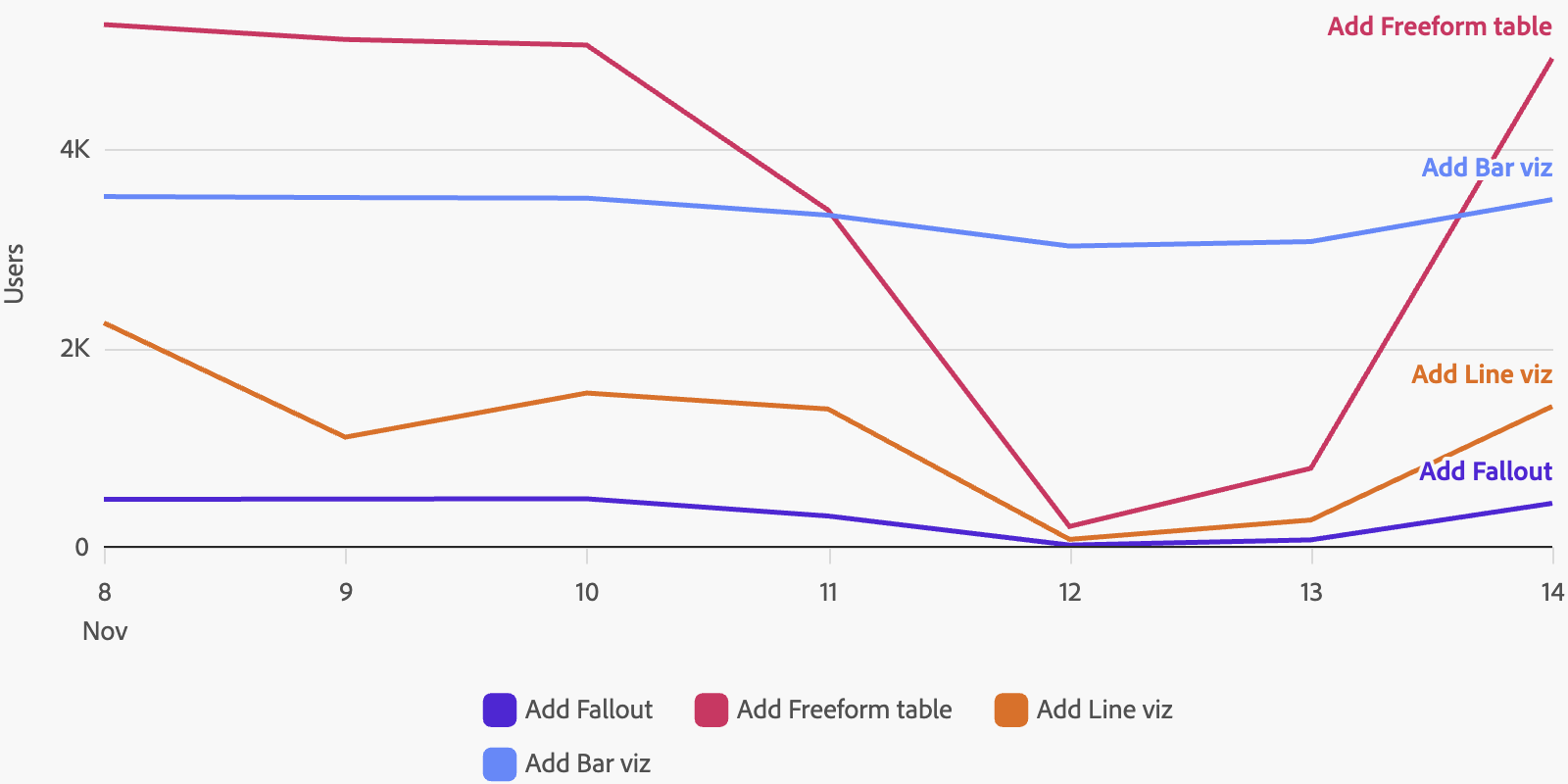
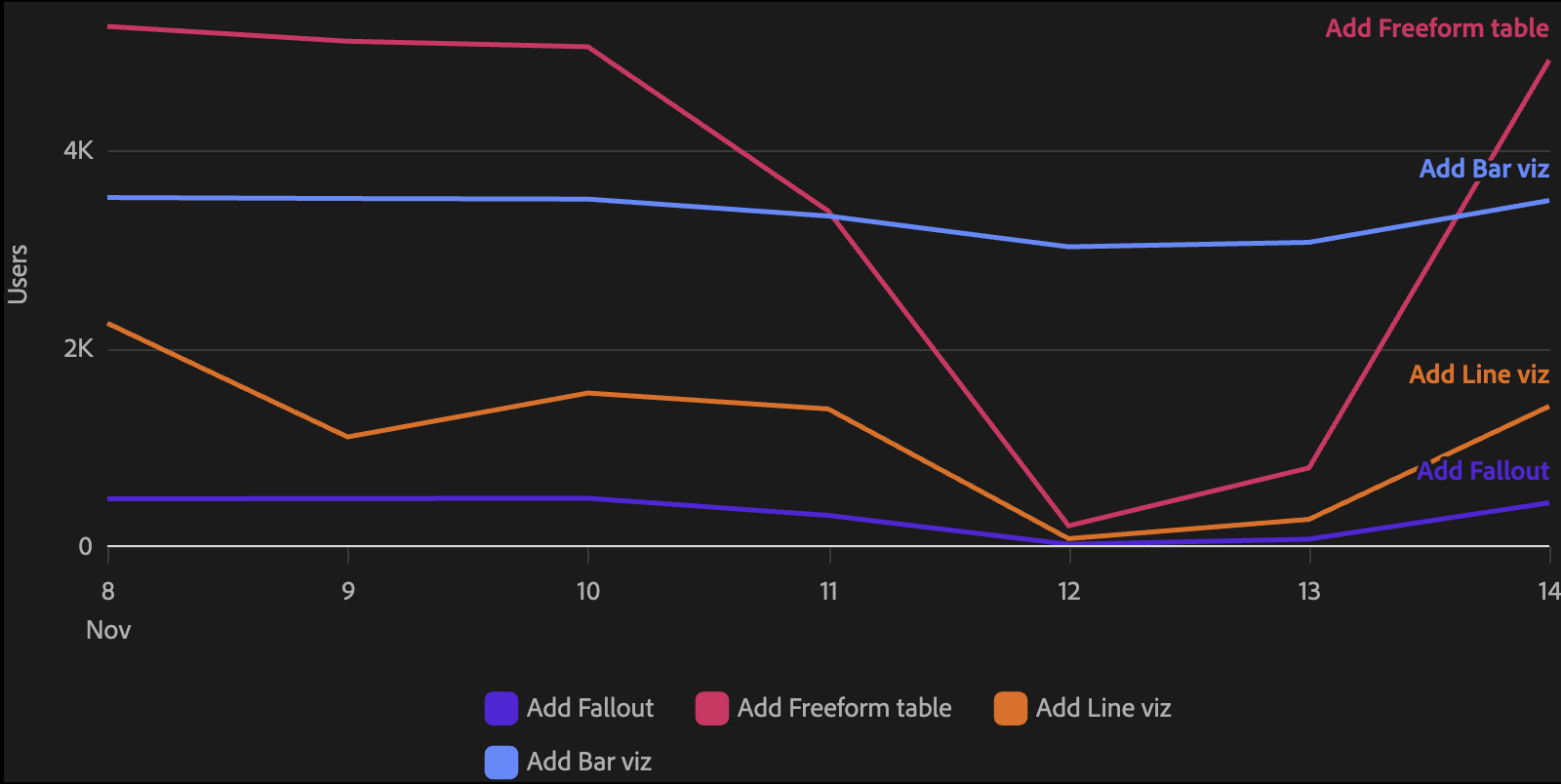
Labels are automatically positioned to avoid overlap. When two series end at similar values, the labels are offset vertically.
Showing different values
{/* Show the series name instead of the last value */}
<LineDirectLabel value="series" />

{/* Show the average value */}
<LineDirectLabel value="average" />

{/* Place the label at the start of the line */}
<LineDirectLabel position="start" />

{/* Add a prefix and custom number format */}
<LineDirectLabel prefix="Avg:" value="average" format=".1f" />
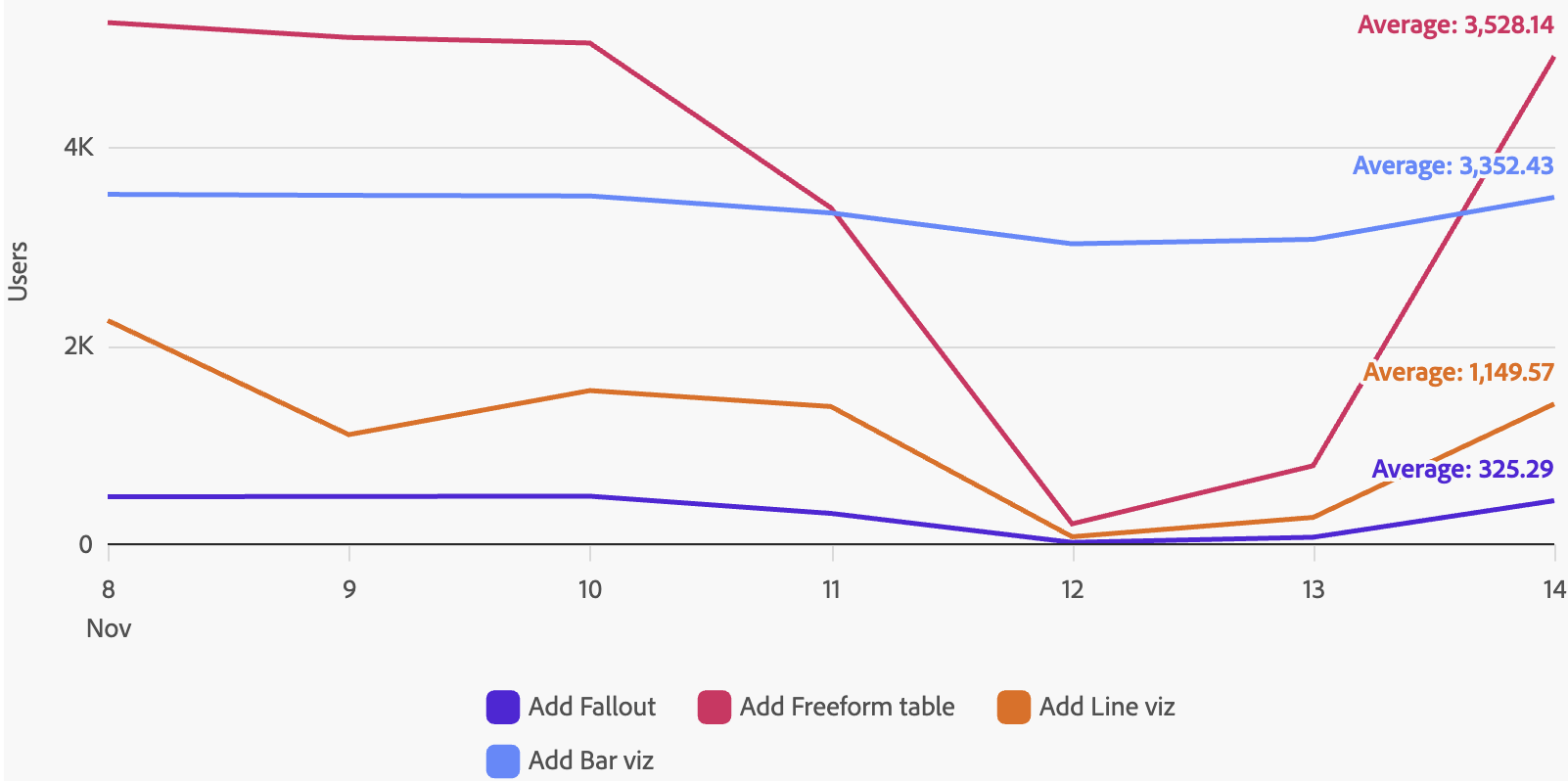
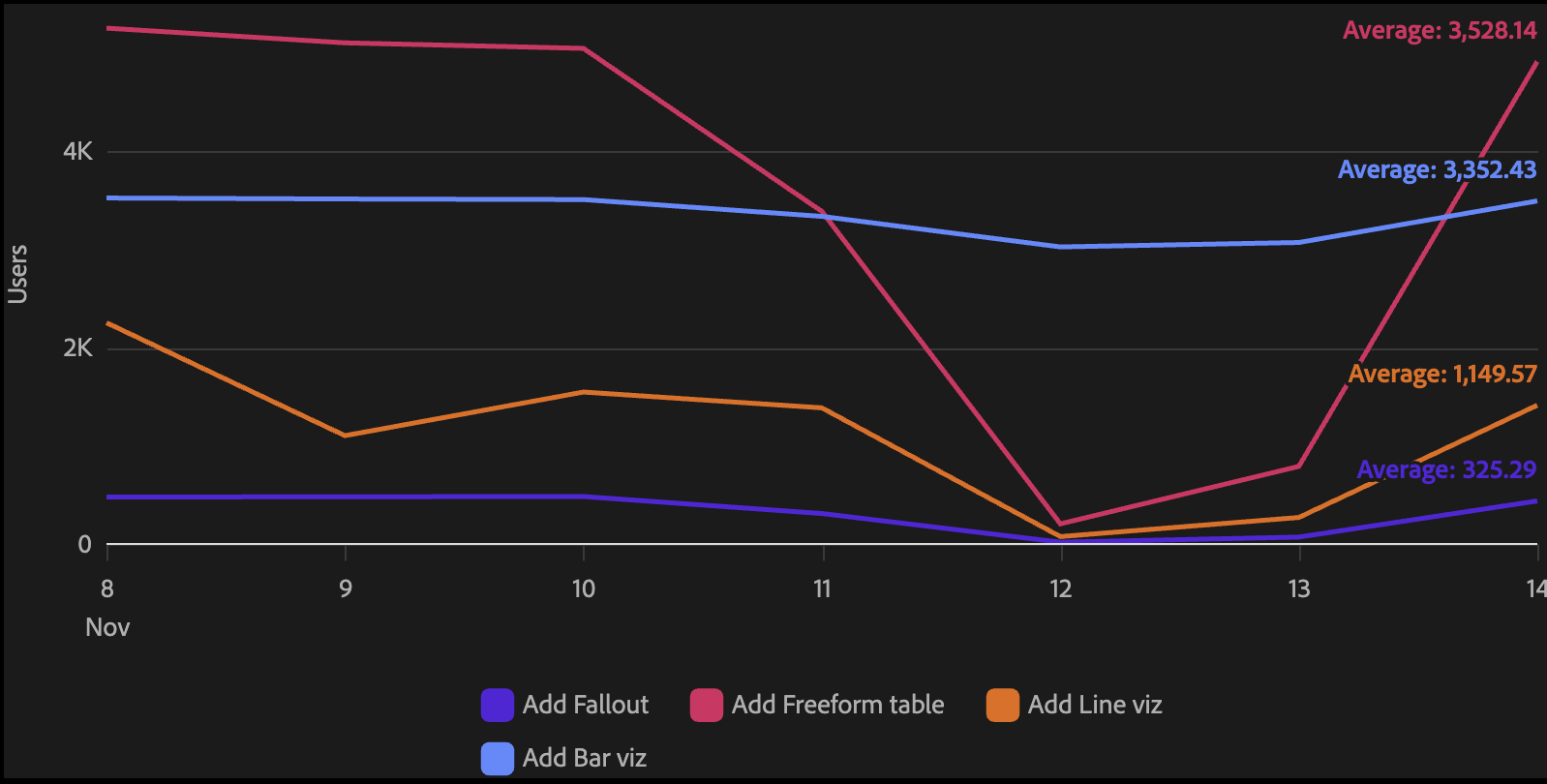
Excluding series
Use excludeSeries to prevent labels from appearing on specific series:
<LineDirectLabel excludeSeries={['Other', 'Unknown']} />
LineDirectLabel props
| name | type | default | description |
|---|---|---|---|
| value | 'last' | 'average' | 'series' | 'last' | What to display as the label text. |
| position | 'start' | 'end' | 'end' | Where to place the label. 'end' places it at the right edge of the chart; 'start' places it at the left edge. |
| format | string | ',.2~f' | A d3-format string controlling how numeric values are displayed. Has no effect when value="series". |
| prefix | string | – | Text prepended to the label value, separated by a space. |
| excludeSeries | string[] | [] | Series names that should not receive a label. |
Primary series
The primarySeries prop designates which series render with full color. All other series are rendered in a de-emphasized gray, making it easy to highlight one or a few key series against a backdrop of contextual data.
Pass a number to promote the first N series (by color scale order), or a string array to name specific series explicitly:
{/* Highlight the first 2 series by color scale order */}
<Line color="series" primarySeries={2} />

{/* Highlight specific named series */}
<Line color="series" primarySeries={['Revenue', 'Target']} />
Use otherSeriesColor to override the default gray used for de-emphasized series:
<Line color="series" primarySeries={2} otherSeriesColor="gray-100" />
When primarySeries is combined with LineDirectLabel, direct labels are only shown on the primary series.
Alternate segments
The alternateSegmentKey prop lets you visually distinguish specific data points — such as estimated or projected values — by rendering their line segments with a different stroke style while keeping the same series color.
Set alternateSegmentKey to a field in your data whose truthy value marks a point as part of an alternate segment. Those segments will be drawn using alternateSegmentLineType (defaults to 'dotted').
// data: [{ datetime: ..., value: 10, isEstimated: false }, { datetime: ..., value: 12, isEstimated: true }, ...]
<Line color="series" alternateSegmentKey="isEstimated" alternateSegmentLineType="dotted" />
The transition between segments is seamless — the line connects solid and dotted runs without gaps. Any series without the field (or with all-falsy values) renders as a plain solid line.
Forecast (LineForecast)
The LineForecast component is an S2-exclusive child of Line. It visually distinguishes a forecast region from historical data: the line transitions from solid to dotted at the forecast boundary, a vertical rule marks the start of the forecast, and an optional label appears above the rule.
<Chart data={data}>
  <Axis position="bottom" labelFormat="time" ticks baseline />
  <Axis position="left" grid />
  <Line color="series" metric="value" dimension="datetime" scaleType="time">
    <LineForecast metric="forecastValue" start={1725148800000} label="Forecast" />
  </Line>
</Chart>
The start value must be a dimension value that exists in the data (for time axes, epoch milliseconds). Rows at or after start are rendered as the forecast segment. Rows before start use the metric field on Line; rows in the forecast region use the metric field on LineForecast.
When gradient is set on the parent Line, the gradient is also rendered in the forecast region at a reduced opacity (40% of the historical gradient) to reinforce the uncertainty of the forecast.
LineForecast props
| name | type | default | description |
|---|---|---|---|
| metric * | string | – | Key in the data containing the forecast values. |
| start * | number | string | – | Dimension value at which the forecast begins. For time axes, provide epoch milliseconds. Rows at or after this value are rendered as the forecast segment. |
| label | string | 'Forecast' | Text shown above the boundary rule. Hidden automatically when fewer than 80px remain between the boundary and the right edge of the chart. |
* required
Line props (S2)
The S2 Line component does not yet support onMouseOver, onMouseOut, MetricRange, or Trendline.
| name | type | default | description |
|---|---|---|---|
| children | ChartInspect | ChartPopover | LineDirectLabel | LineForecast | LinePointAnnotation | – | Optional child components for tooltips, popovers, inline direct labels, forecast regions, and point annotations. |
| color | string | {value: string} | 'categorical-100' | Key in the data used to map each series to a color, or a fixed color value object. |
| dimension | string | 'datetime' | Key in the data that the metric is trended against (x-axis). |
| dualMetricAxis | boolean | – | When true, the last series uses a secondary y-axis with an independent scale. |
| gradient | boolean | – | S2 only. When true, renders a gradient fill beneath the line that fades from the line color to transparent. |
| interactionMode | 'nearest' | 'item' | 'nearest' | Controls which point is highlighted when the user hovers over the chart area. |
| interpolate | 'basis' | 'cardinal' | 'catmull-rom' | 'linear' | 'monotone' | 'natural' | 'step' | 'step-after' | 'step-before' | – | S2 only. The curve interpolation method used to draw the line between data points. |
| lineType | string | {value: LineType | number[]} | {value: 'solid'} | Key in the data for line type faceting, or a fixed line type value. |
| metric | string | 'value' | Key in the data used for the y-axis value. |
| metricAxis | string | – | Name of the axis the metric is plotted against. Used for dual-axis layouts. |
| name | string | 'line0' | Name of the line component. Useful when referencing a specific line programmatically. |
| onClick | (datum: Datum) => void | – | Callback fired when a point or section of the line is clicked. |
| onContextMenu | (event: MouseEvent, datum: Datum) => void | – | Callback fired on right-click. Use this to show a custom context menu anchored to the clicked point. |
| contextMenuMode | 'interaction' | 'item' | 'interaction' | Controls which interactions can trigger onContextMenu. 'interaction' fires for any hover interaction (default). 'item' fires only when an individual data point is right-clicked. |
| opacity | number | string | – | Fixed opacity value or key in the data for opacity faceting. |
| padding | number | – | Chart area padding. A ratio (0–1) for categorical scales or a pixel value for continuous scales. |
| scaleType | 'linear' | 'time' | 'point' | 'time' | The scale type for the x-axis dimension. |
| staticPoint | string | – | Key in the data whose truthy value causes a visible point to be drawn at that data item. |
| primarySeries | number | string[] | – | S2 only. Designates which series render with full color. A number promotes the first N series by color scale order; a string array names specific series explicitly. All other series are rendered in a de-emphasized gray. When used with LineDirectLabel, labels are suppressed on non-primary series. |
| otherSeriesColor | string | 'gray-400' | S2 only. Overrides the default gray used for de-emphasized series when primarySeries is set. Accepts any Spectrum 2 color token (e.g. 'gray-200') or CSS color value. |
| alternateSegmentKey | string | – | Key in the data whose truthy value marks a point as part of an alternate segment. Alternate segments are rendered with a different line type (see alternateSegmentLineType) while keeping the same series color. |
| alternateSegmentLineType | 'solid' | 'dashed' | 'dotted' | 'dotDash' | 'longDash' | 'twoDash' | 'dotted' | The line type used for alternate segments identified by alternateSegmentKey. |
| alternateSegmentLabel | string | – | Text appended to the hover value label for alternate-segment points (e.g. '(Estimated)'). |
Reference lines (S2)
The ReferenceLine component is a child of Axis that draws a vertical or horizontal reference line at a specified value. It is available in the S2 package and styled to the Spectrum 2 visual spec.
import { Chart, Axis, Line, ReferenceLine } from '@spectrum-charts/react-spectrum-charts-s2';

<Chart data={data}>
  <Axis position="left" grid>
    <ReferenceLine value={5000} label="Target" />
  </Axis>
  <Axis position="bottom" labelFormat="time" ticks baseline />
  <Line color="series" />
</Chart>
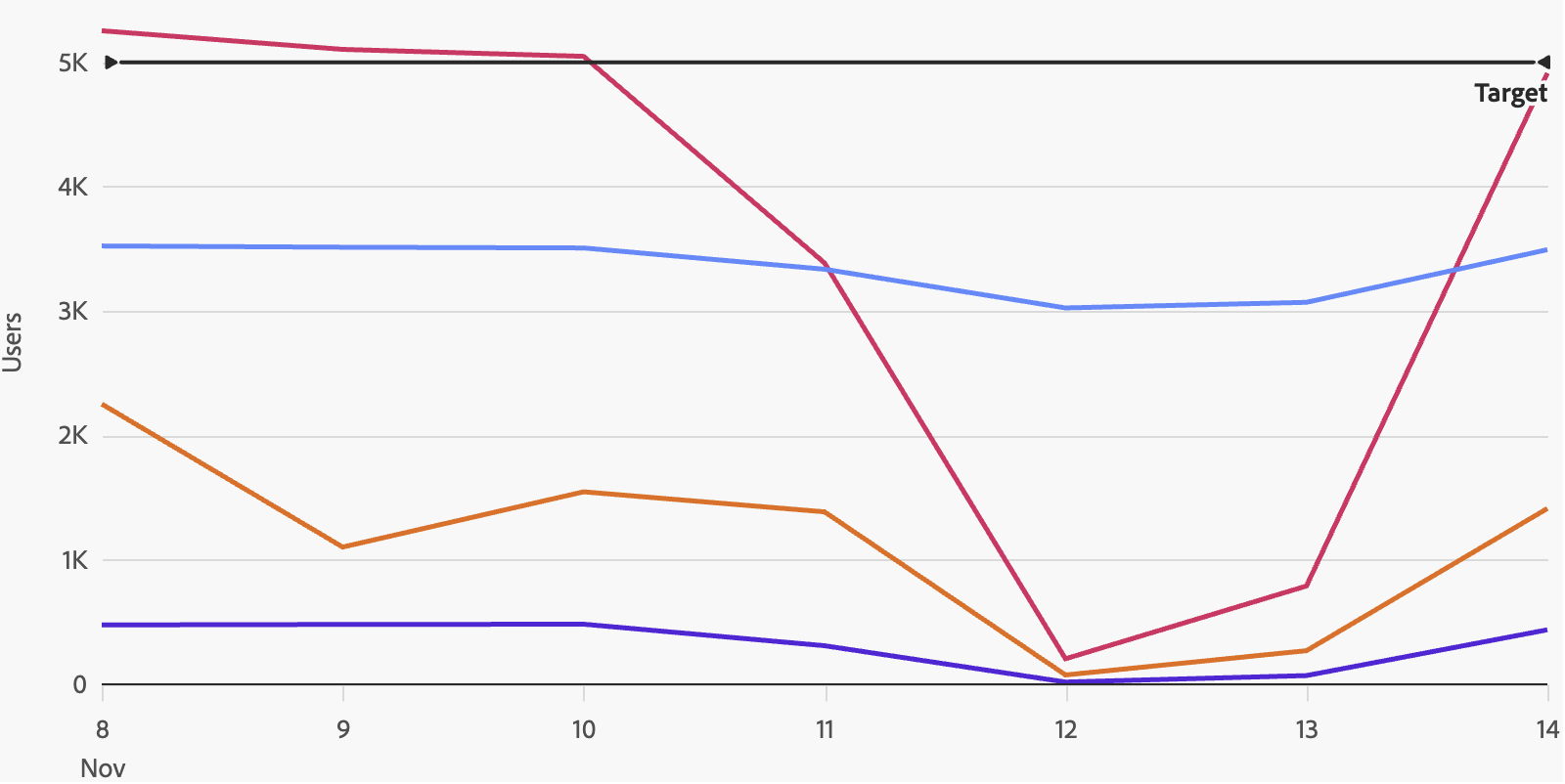
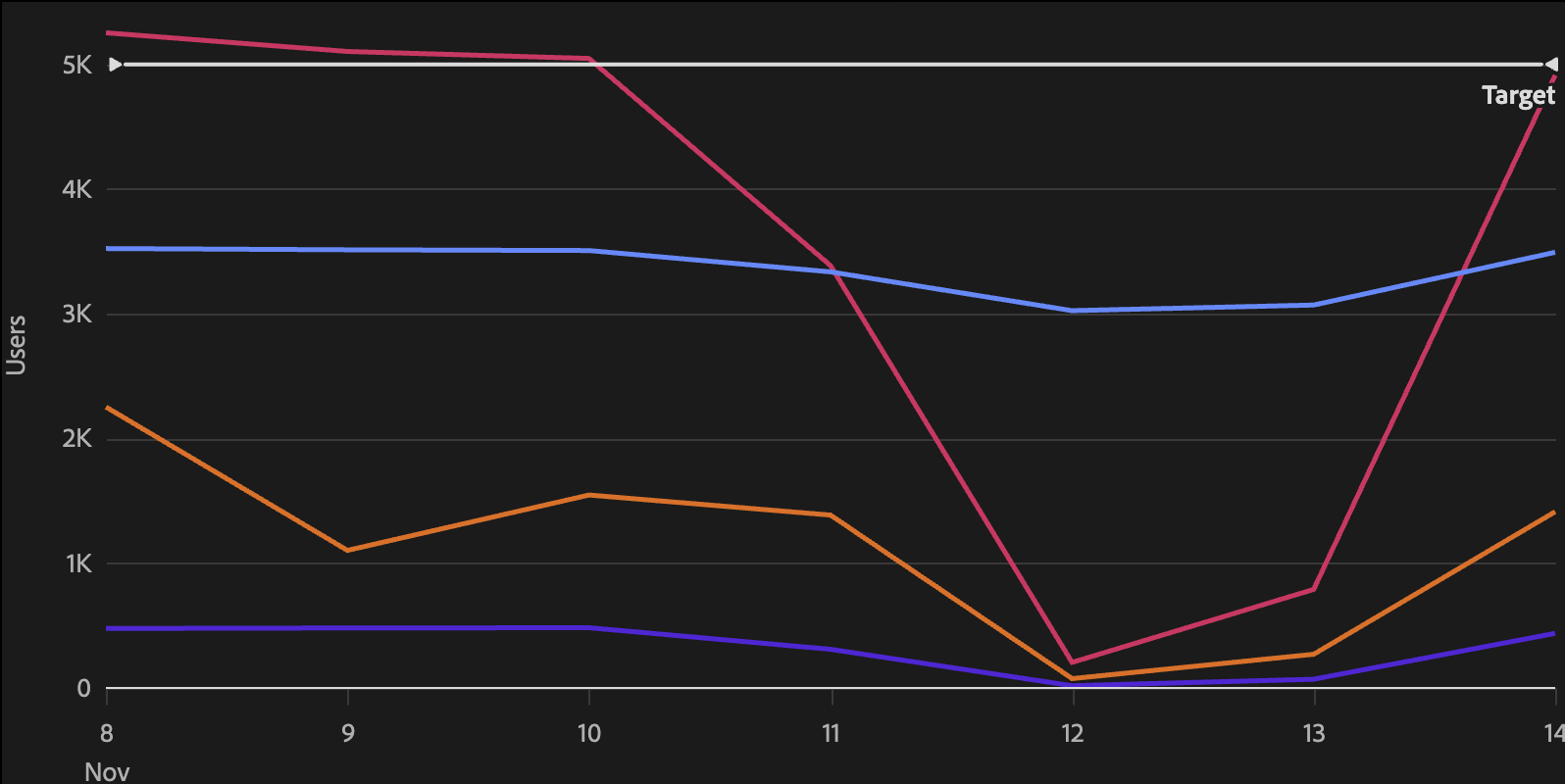
In S2, reference lines are horizontal only — place <ReferenceLine> inside a left or right <Axis> and give it a numeric metric value (e.g. a threshold count). Bottom/top axes are not supported in S2.
Reference line with label
<Axis position="left" grid>
  <ReferenceLine value={1000} label="Target" />
</Axis>
Positioning on bar charts
On bar charts with categorical axes, the position prop controls whether the reference line is positioned before, centered on, or after the specified value:
<Axis position="bottom">
  <ReferenceLine value="Q3" position="before" label="Q3 Start" />
</Axis>
ReferenceLine props
| name | type | default | description |
|---|---|---|---|
| value * | number | string | – | The value on the axis at which to draw the reference line. For time axes, provide epoch milliseconds. For categorical axes, provide the category value. |
| label | string | – | Optional text label rendered alongside the reference line. |
| position | 'before' | 'after' | 'center' | 'center' | Controls where the line is drawn relative to the value. Only relevant for bar charts with categorical axes. |
| size | 'XS' | 'S' | 'M' | 'L' | auto | Controls the stroke weight and caret triangle dimensions. When omitted, both react to the chart width automatically (S below 400px, M below 800px, L at 800px+). Use 'XS' for Sparkline contexts. |
* required